From the Start plan
1. A waitlist through the WhatsApp link
Starts when
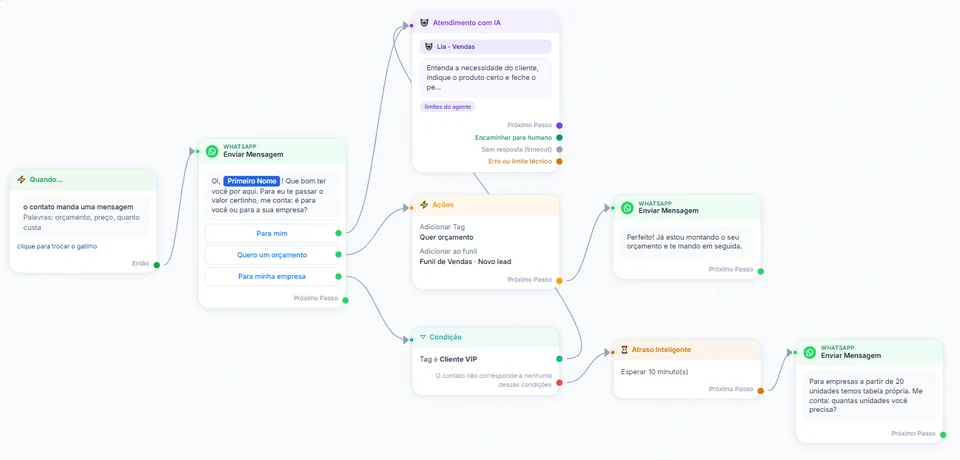
The person taps the link on the opt-in page and sends the prefilled phrase, which fires the O contato envia uma mensagem trigger (contact sends a message).
How to set it up
- In the link generator, build the wa.me link to your number with the prefilled phrase, for example "I want to join the launch list", and download the QR code for the opt-in page.
- In Automations, pick the O contato envia uma mensagem trigger, put the same phrase under Palavras que ligam o fluxo (trigger words) and, under Como comparar (how to compare), choose A mensagem é exatamente a palavra (exact match). The dedicated link and QR code trigger currently fires only when Meta sends the click origin along with the message, and a plain wa.me link does not.
- Connect an Enviar Mensagem block that confirms the sign-up and says what the person will receive, with the class and opening dates. Since they wrote first, the chat is open and the reply goes out as a service message, with no template.
- Next, Ações → Adicionar Tag "Launch list [month]". That tag is what receives the classes, the opening and the final hours, as scheduled broadcasts; if you want welcome material timed from each person's sign-up, also use Inscrever na sequência (subscribe to sequence).
- To test different phrases on different pages, generate one link per phrase; each phrase can be its own automation with its own tag.
What happens next
The list starts with each person's request on record in the chat: they wrote first, to your number, with a phrase that says what they want. The automation only starts when that exact phrase arrives; opening the link without sending triggers nothing. In the Origem do opt-in filter, people who joined this way show up as Mandou mensagem (WhatsApp).