From the Start plan
1. Shoppers from an ad are served with the ad on screen
Starts when
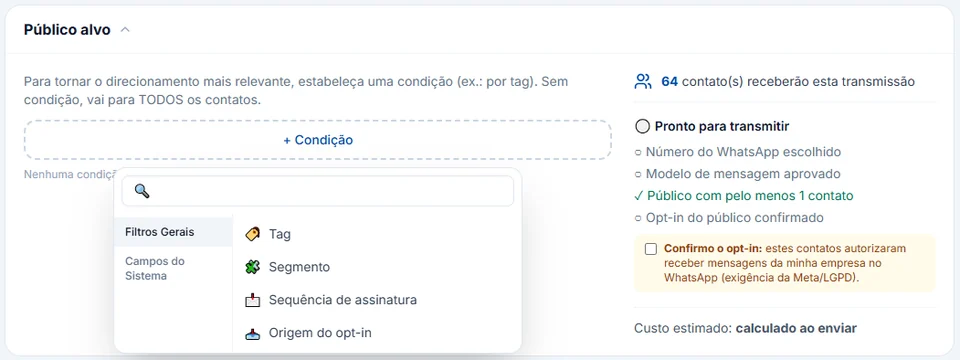
The person taps a click-to-WhatsApp ad and sends the first message (trigger O contato vem de um anúncio e escreve, contact comes from an ad and writes).
How to set it up
- In Automations, create the flow with the O contato vem de um anúncio e escreve trigger. The ID do anúncio (opcional) field (ad ID) lets you run a different flow per ad; left empty, it applies to all of them.
- Reply with Botões de resposta (reply buttons), for example "See sizes", "Delivery time" and "Talk to a seller", and connect each button to its next step.
- On the seller path, use Ações → Adicionar Tag "Came from ad", so these shoppers can be told apart when you measure and when you run win-backs.
What happens next
When the seller opens the chat, "do you have this one?" already comes with the product: the Veio do anúncio card (came from ad), at the top, shows the copy the person read before tapping and opens the creative through the Ver o anúncio link. Someone who only tapped the ad and never wrote does not enter the flow. The setup for whole campaigns is in click-to-WhatsApp ads, and reporting qualified leads back to Meta is in Meta and Google conversions, on the Business plan.